Want to revolutionize your business with AI? Check SSW's Artificial Intelligence and Machine Learning consulting page.
The advent of GPT and LLMs have sent many industries for a loop. If you've been automating tasks with ChatGPT, how can you share the efficiency with others?
GPT is an awesome product that can do a lot out-of-the-box. However, sometimes that out-of-the-box model doesn't do what you need it to do.
In that case, you need to provide the model with more training data, which can be done in a couple of ways.
When you're building a custom AI application using a GPT API you'll probably want the model to respond in a way that fits your application or company. You can achieve this using the system prompt.
AI agents are autonomous entities powered by AI that can perform tasks, make decisions, and collaborate with other agents. Unlike traditional single-prompt LLM interactions, agents act as specialized workers with distinct roles, tools, and objectives.
Repetitive tasks like updating spreadsheets, sending reminders, and syncing data between services are time-consuming and distract your team from higher-value work. Businesses that fail to automate these tasks fall behind.
The goal is to move from humans doing and approving the work, to automation doing and humans approving the work.
There's lots of awesome AI tools being released, but combining these can become very hard as an application scales. Semantic Kernel can solve this problem by orchestrating all our AI services for us.
When using Azure AI services, you often choose between Small Language Models (SLMs) and powerful cloud-based Large Language Models (LLMs), like Azure OpenAI. While Azure OpenAI offer significant capabilities, they can also be expensive. In many cases, SLMs like Phi-3, can perform just as well for certain tasks, making them a more cost-effective solution. Evaluating the performance of SLMs against Azure OpenAI services is essential for balancing cost and performance.
When building an AI-powered solution, developers will inevitably need to choose which Large Language Model (LLM) to use. Many powerful models exist (Llama, GPT, Gemini, Mistral, Grok, DeepSeek, etc.), and they are always changing and subject to varying levels of news and hype.
When choosing one for a project, it can be hard to know which to pick, and if you're making the right choice - being wrong could cost valuable performance and UX points.
Because different LLMs are good at different things, it's essential to test them on your specific use case to find which is the best.
When integrating Azure AI's language models (LLMs) into your application, it’s important to ensure that the responses generated by the LLM are reliable and consistent. However, LLMs are non-deterministic, meaning the same prompt may not always generate the exact same response. This can introduce challenges in maintaining the quality of outputs in production environments. Writing integration tests for the most common LLM prompts helps you identify when model changes or updates could impact your application’s performance.
A chatbot is a computer program that uses artificial intelligence to engage in text or voice conversations with users, often to answer questions, provide assistance, or automate tasks. In the age of generative AI, good chatbots have become a necessary part of the user experience.
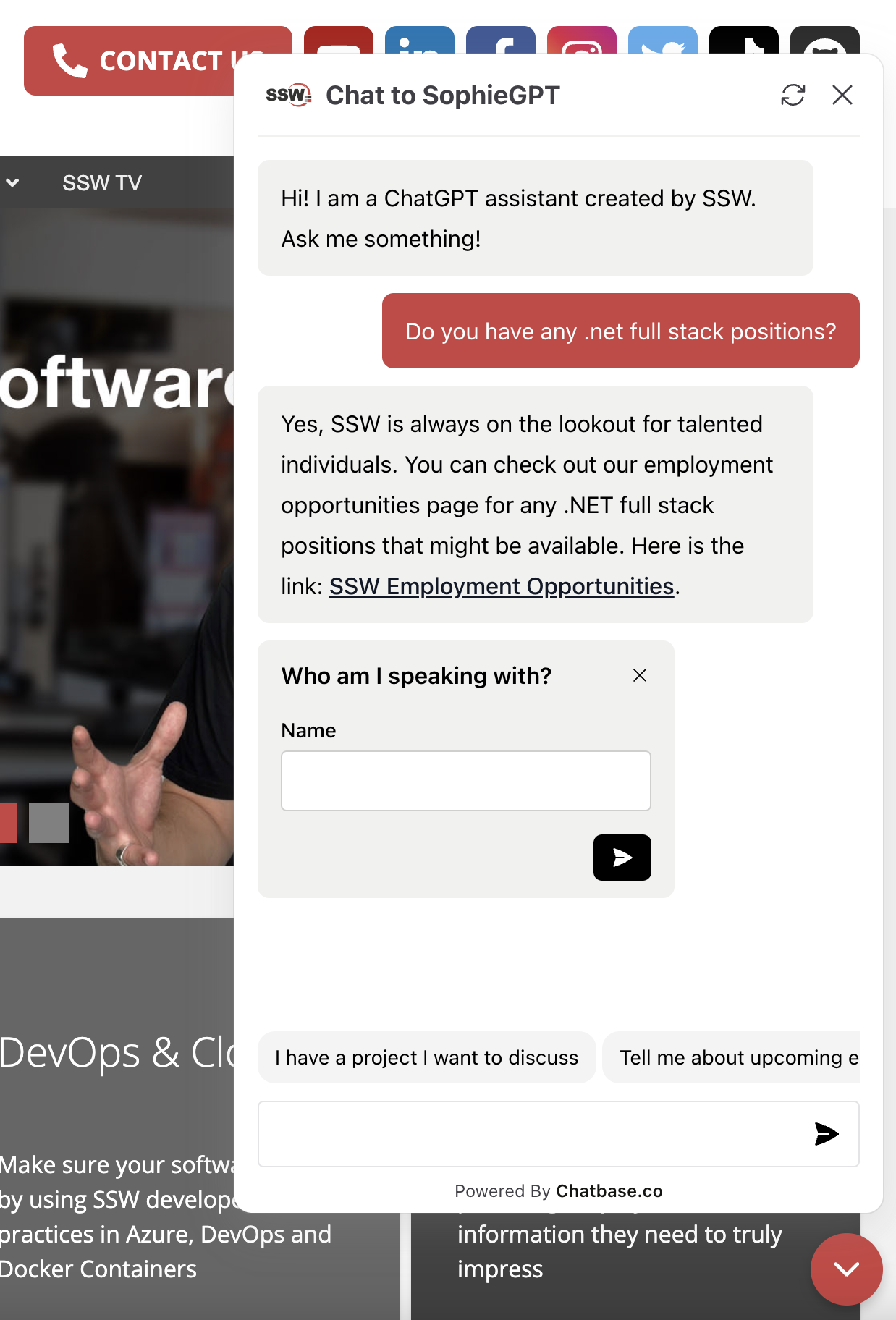
✅ Figure: Good example - A nice chatbot in action
Choosing the right chatbot service for your website can be a challenging task. With so many options available it's essential to find the one that best fits your needs and provides a good experience for your users. But what distinguishes a good chatbot from a great one? Here are some factors to consider.
ChatGPT has an awesome API and Azure services that you can easily wire into any app.
The ChatGPT API is a versatile tool capable of far more than just facilitating chat-based conversations. By integrating it into your own applications, it can provide diverse functionalities in various domains. Here are some creative examples of how you might put it to use:
Embedding a user interface (UI) into an AI chat can significantly enhance user interaction, making the chat experience more dynamic and user-friendly. By incorporating UI elements like buttons, forms, and multimedia, you can streamline the conversation flow and improve user engagement.
Comparing and classifying text can be a very time-consuming process, especially when dealing with large volumes of data. However, did you know that you can streamline this process using embeddings?
By leveraging embeddings, you can efficiently compare, categorize, and even cluster text based on their underlying meanings, making your text analysis not only faster but also more accurate and insightful. Whether you're working with simple keyword matching or complex natural language processing tasks, embeddings can revolutionize the way you handle textual data.
“Your loan is approved under Section 42 of the Banking Act 2025.” One problem: there is no Section 42.
That single hallucination triggered a regulator investigation and a six-figure penalty. In high-stakes domains like finance, healthcare, legal and compliance zero-error tolerance is the rule. Your assistant must always ground its answers in real, verifiable evidence.
AI is a powerful tool, however, sometimes it simply makes things up, aka hallucinates. AI hallucinations can sometimes be humorous, but it is very bad for business!
AI hallucinations are inevitable, but with the right techniques, you can minimize their occurrence and impact. Learn how SSW tackles this challenge using proven methods like clean data tagging, multi-step prompting, and validation workflows.
As large language models (LLMs) become integral in processing and generating content, ensuring they access and interpret your website accurately is crucial. Traditional HTML structures, laden with navigation menus, advertisements, and scripts, can hinder LLMs from efficiently extracting meaningful information.
Implementing an
llms.txtfile addresses this challenge by providing a streamlined, LLM-friendly version of your site's content.Want to supercharge your business with Dataverse AI integration? This guide pulls together proven strategies and practical recommendations to help your organization maximize the latest Copilot, Copilot Studio agents, and Model Context Protocol (MCP) innovations for Dataverse.
Anthropic launched the Model Context Protocol (MCP) in November 2024 to streamline AI integration, quickly earning adoption from major players like OpenAI and Microsoft. This standard has revolutionized how businesses connect AI assistants to their applications, creating seamless, context-aware experiences without complex technical implementations.
For non-technical business owners and decision-makers, MCP offers a straightforward way to future-proof applications and tap into the growing AI ecosystem.
Connecting an LLM-driven agent to multiple external services might look simple in a diagram, but it's often a nightmare in practice.
Each service requires a custom integration, from decoding API docs, handling auth, setting permissions, to mapping strange data formats. And when you build it all directly into your agent or app, it becomes a brittle, tangled mess that's impossible to reuse.
Choosing the right language for your Model Context Protocol (MCP) project can feel like riding the highway to decision fatigue. You’re inundated with options, but the onus is on you to pick one that truly suits your needs. In this rule, we’ll discuss how to choose the right language for your MCP clients and servers, saving you unnecessary pain down the line.